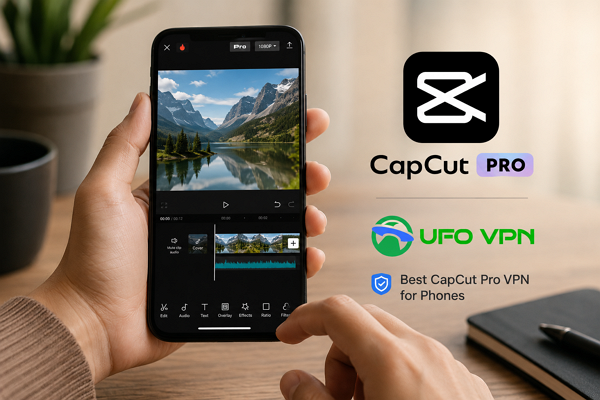
Mobile video editing has become much easier thanks to CapCut Pro. Whether you want to create TikTok clips, travel vlogs, gaming edits, or short cinematic videos, you can now handle everything directly on your phone. Meanwhile, you can even install a reliable CapCut Pro VPN to improve accessibility, unlock regional content, and enjoy a smoother editing experience while using this app on phones.
In addition, you often edit videos on the go, having a stable VPN can also make cloud-based features and online resources work more smoothly. That is why many mobile editors choose UFO VPN for faster connections, flexible region switching, and a more stable experience when accessing CapCut Pro features from different locations.
In this blog, we’ll offer a detailed guide to detailed guide to using CapCut Pro on phones, including its mobile features, Android and iOS differences, creative editing ideas, and easy ways to get cheaper subscriptions for a better editing experience. Read for more fun!
What Can You Do With CapCut Pro on Your Phones?
Modern smartphones are already powerful enough for professional-level editing, and CapCut Pro brings many desktop-like features directly to your mobile device. Whether you use Android or iPhone, you can complete almost the entire editing process without touching a computer.
Some of the most useful CapCut Pro mobile features include:
- Multi-layer video editing – Combine videos, images, text, stickers, and audio tracks in a single timeline for more advanced edits.
- AI auto captions – Automatically generate subtitles for your videos to save editing time and improve accessibility.
- Background removal – Remove or replace video backgrounds without needing a green screen setup.
- Advanced transitions and effects – Add smooth visual transitions and creative effects to make your videos more dynamic.
- Speed ramping and motion blur – Create cinematic slow-motion or fast-paced action scenes with smoother movement.
- Music synchronization – Match video cuts and transitions with background music beats automatically.
- 4K video export – Export high-resolution videos directly from your phone for clearer and sharper content.
- Ready-to-use social media templates – Use pre-made templates to quickly create trendy TikTok or Reel-style videos.
- Cloud syncing across devices – Access and continue your editing projects across multiple devices more conveniently.
With these features, you can easily create content for TikTok, YouTube Shorts, Instagram Reels, gaming highlights, tutorials, and travel videos directly from your phone.
Is There Any Difference Between CapCut Pro for Android and iOS?
Both Android and iPhone versions of CapCut Pro offer very similar core editing features, so your overall editing experience remains largely the same. However, there are still a few differences depending on device performance, operating system optimization, and update timing.
For example, iPhones often provide smoother rendering and better optimization because of Apple’s hardware-software integration. Video exports may feel slightly faster on newer iOS devices, especially for large projects or 4K editing.
Android phones, on the other hand, offer more flexibility across different brands and price ranges. High-end Android devices can perform just as well as iPhones, while budget-friendly models still support most editing functions.
Other possible differences include:
- Some effects or AI tools may arrive earlier on one platform
- Export speeds vary based on device chipset
- File management is generally more flexible on Android
- iOS may provide slightly more stable app performance
During everyday use, both platforms are fully capable of running CapCut Pro smoothly for content creation.
Free vs Pro: Is CapCut Pro Worth It?
Before upgrading, it helps to understand what additional features the Pro version actually offers compared to the free plan.
CapCut Free vs Pro Quick Comparison:
- Basic Editing Tools: Both free and Pro versions let you trim, cut, and combine clips for simple editing needs.
- Advanced Effects: The free version offers limited effects, while the Pro version unlocks the full library of professional-grade visual effects.
- Premium Templates: Free users get restricted access, but Pro users can use a wide range of trending and high-quality templates.
- AI Features: Free version includes only basic AI tools, whereas Pro unlocks advanced AI-powered editing functions like smarter captions and auto edits.
- Watermark-Free Export: Free exports may be limited or include restrictions, while Pro allows clean, watermark-free video output.
- Cloud Storage: Free users get basic storage, while Pro provides expanded cloud space for saving and syncing projects.
- High-Quality Export: Free version supports standard quality, but Pro enables higher-resolution and more stable exports.
- Exclusive Music & Assets: Free users have limited access, while Pro includes a full library of exclusive audio tracks and creative assets.
If you only edit casual videos occasionally, the free version may already be enough. However, if you regularly create content for social media, branding, gaming, or business purposes, CapCut Pro gives you far more creative freedom and helps you save a significant amount of editing time.
For long-term mobile editing, the Pro version is generally the better choice.
Proven Ways to Get Cheaper CapCut Pro
Although CapCut Pro offers many useful features, there are still several smart ways to reduce subscription costs while keeping full access to premium tools.
1. Look for Seasonal Discounts
CapCut occasionally offers limited-time promotions during holidays, creator events, or platform campaigns. Checking official promotions regularly can help you save money on yearly subscriptions.
2. Switch to Different Regions
Pricing for digital subscriptions sometimes varies between regions. Some creators try switching regions to check whether more affordable subscription plans are available.
In this situation, preparing a professional CapCut Pro VPN can make the process more stable and flexible. Many people prefer UFO VPN because it provides multiple global server locations and smooth mobile connections for region switching.
3. Share Family or Multi-Device Plans
If available in your region, family plans or shared subscriptions can help lower the cost per person while still unlocking premium features.
4. Choose Annual Plans Instead of Monthly Billing
Long-term plans are usually much cheaper than paying month by month. If you use CapCut Pro frequently, yearly subscriptions often provide better overall value.
Creative Ideas to Have More Fun with CapCut Pro
Once you become familiar with CapCut Pro’s tools, mobile editing becomes much more flexible and enjoyable. You can experiment with different styles and create more engaging videos directly from your phone.
- Create Cinematic Travel Videos: Use slow motion, cinematic filters, and smooth transitions to turn ordinary travel clips into short movie-style edits.
- Make Gaming Highlight Reels: Combine fast cuts, sound effects, zoom-ins, and motion blur to create energetic gaming compilations for TikTok or YouTube Shorts.
- Design AI-Powered Short Videos: Try AI captions, automatic beat synchronization, and smart background removal to speed up content creation while making videos look more professional.
- Build Before-and-After Transformation Videos: Fitness edits, room makeovers, fashion styling, and art projects work especially well with split-screen effects and transition templates.
- Create Mini Vlogs Entirely on Your Phone: You can shoot, edit, subtitle, and export complete daily vlogs without needing a laptop, making mobile content creation much more convenient.
Final Word
Using CapCut Pro on your phone makes content creation much easier, faster, and more flexible than before. Whether you use Android or iPhone, you can access powerful editing tools directly from your mobile device and create professional-looking videos almost anywhere.
By combining creative editing ideas, smart subscription methods, and a stable VPN solution like UFO VPN, you can enjoy a smoother and more enjoyable mobile editing experience ever!