Forgotten your Google password after resetting your Redmi 9A? Follow our stepwise guide to bypass FRP locks on your Redmi 9A using the latest tools and manual bypass techniques for 2026.
Getting stuck on the Factory Reset Protection (FRP) screen on your Xiaomi Redmi 9A can be extremely frustrating. After a factory reset, the phone asks for the previously synced Google account, and without it, the device becomes unusable. Although FRP is designed to protect your data, it can feel like your own phone is locked away from you.
FRP works at the system level of Android. If the Google account isn’t removed before resetting, the device must verify the account through Google’s servers during setup. This security check cannot be bypassed through normal phone settings. Since the Redmi 9A runs MIUI on a MediaTek platform, bypass options are limited and often depend on the MIUI version, Android version, and security patch level.
Because of these restrictions, many effective FRP removal methods require a computer. Especially on newer Android versions or devices with updated security patches, a PC-based solution is often necessary.
The good news is that safe and proven methods are still available. In this guide, we’ll show you the most effective ways to bypass FRP on your Redmi 9A and regain access to your device.
Part 1. About Xiaomi Redmi 9A
The Xiaomi Redmi 9A is one of the most popular entry-level smartphones, known for its massive 5000mAh battery and the MediaTek Helio G25 chipset. While it offers great value, its security (integrated with MIUI) is robust.
When you perform a factory reset without logging out of your Google account, the FRP lock triggers. This requires the original “Google Account previously synced on this device” to regain access. If you’re stuck on the “Verify your account” screen, read on.
Part 2. How to Bypass FRP on Redmi 9A-2 Methods
There are several ways to get past the Google lock. We have selected the two most reliable methods depending on whether you want to use a PC or do it directly on the device.
Method 1. Bypass FRP lock on Xiaomi Directly-iMobie DroidKit [Safe & Easy]
If you’re searching for a fast, reliable way to bypass the FRP lock on your Xiaomi or Redmi Android phone, like your Redmi 9A, DroidKit by iMobie is a solid professional option worth considering. This all-in-one Android toolkit provides a straightforward, user-friendly solution to remove Google account verification without needing advanced technical skills.
Compared to free manual methods or other unlock tools, DroidKit stands out for its reliability and broad compatibility. It delivers one of the highest success rates for Xiaomi/Redmi devices (including older models like the 9A on MIUI 12/12.5), and it’s fully compatible with both Windows and Mac, no extra drivers or complicated setups required.
DroidKit simplifies the FRP bypass process: it scans your connected Redmi 9A, identifies the right firmware or bypass path, and handles the removal automatically. The key advantage is that it removes the old Google account binding safely, without deleting your personal data, apps, or modifying the core operating system in most cases.
Key Features of DroidKit:
- 1-Click FRP Bypass: Removes FRP lock screens on a wide range of Android models, including Samsung, Xiaomi, Redmi, and more. No password or Google credentials needed.
- Quick Process: Most bypasses are complete in just a few minutes, saving you time and hassle compared to trial-and-error manual tricks.
- Beginner-Friendly Interface: Clean, intuitive design makes it easy for anyone to use, even if you’re not tech-savvy.
- Extra All-in-One Tools: Beyond FRP, it can remove various screen locks (PIN, pattern, password, etc.), repair system issues, upgrade/downgrade Android versions, fix crashes or boot loops, and recover important lost data like photos, contacts, messages, WhatsApp chats, and more.
How to bypass FRP lock on Xiaomi Redmi 9A Using iMobie DroidKit:
Step 1. Download and Install iMobie DroidKit on your PC. Launch it and choose FRP Bypass mode.
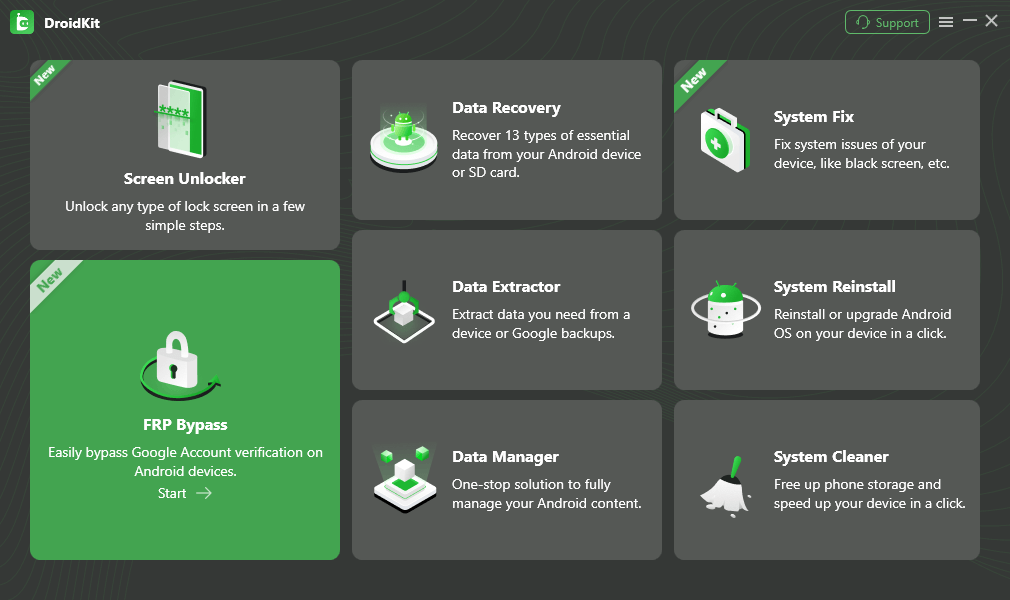
Step 2. Connect your device to your PC and click on the Start button.
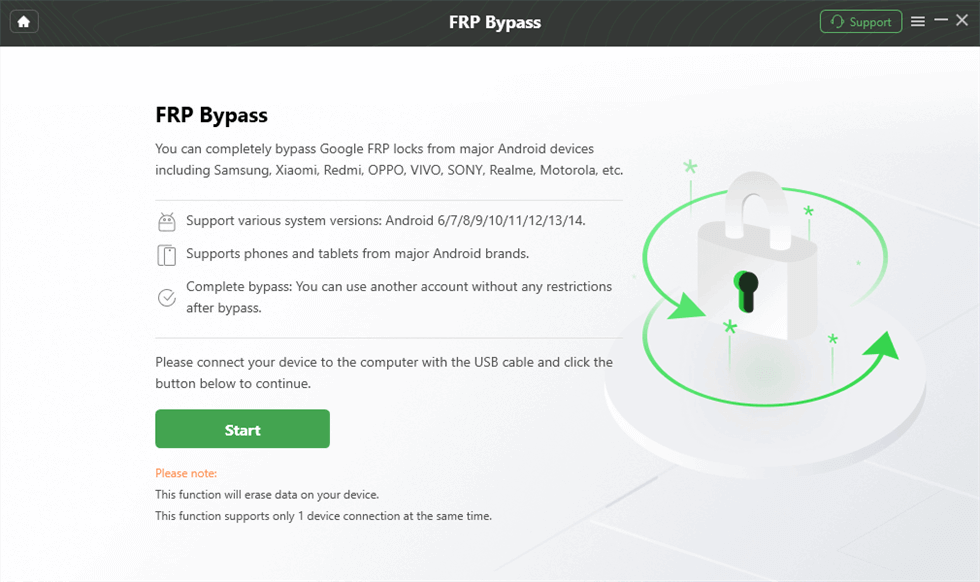
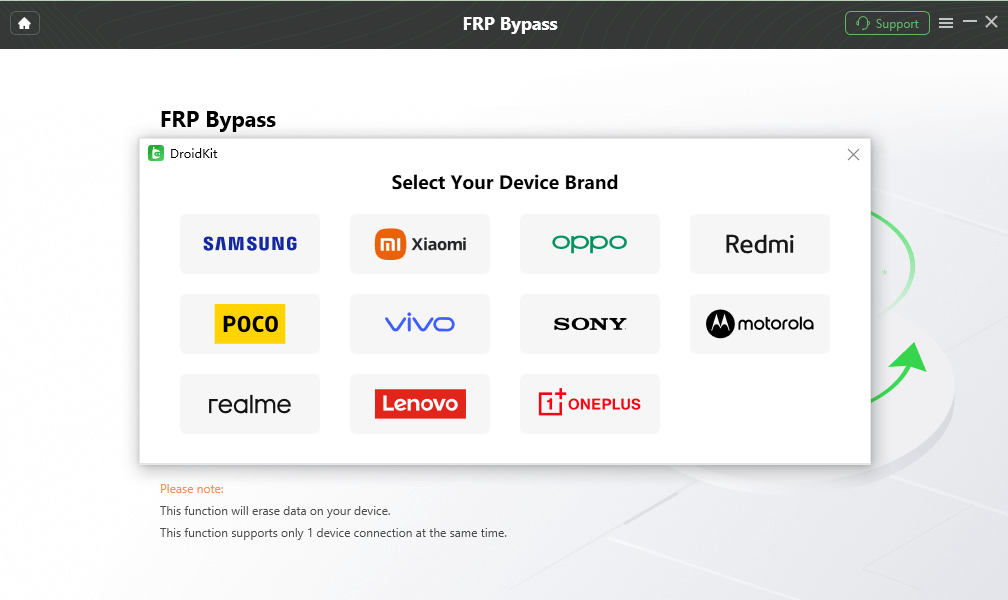
Step 3. Once done, a prompt showing Samsung and Xiaomi Android model buttons will come up. Select Redmi as your Android mode to proceed.
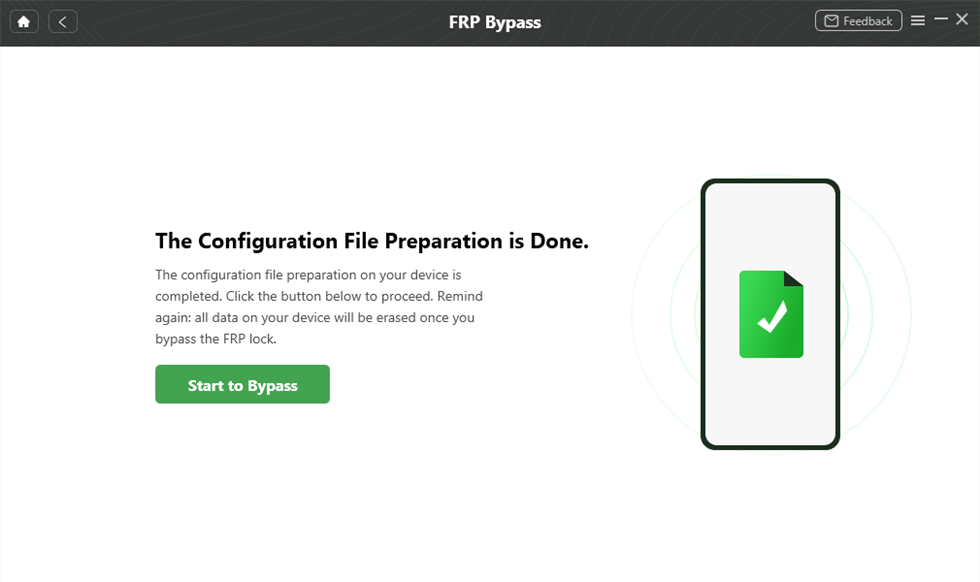
Step 4. Once the preparation of finished, tap on the Start to Bypass button when the screen below appears:
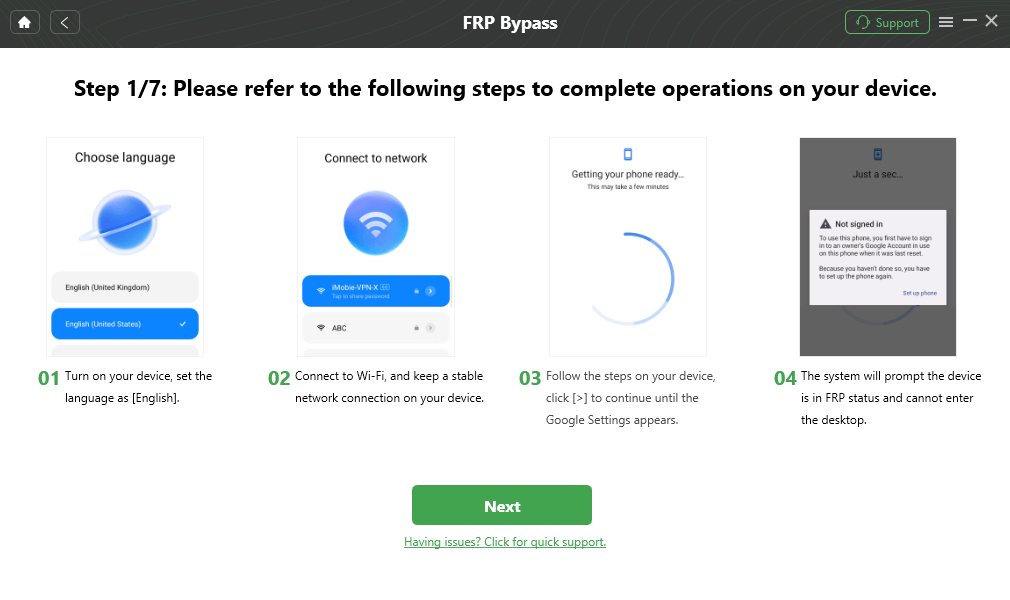
Step 5. Follow the steps on the screen to complete the settings and tap on Next.
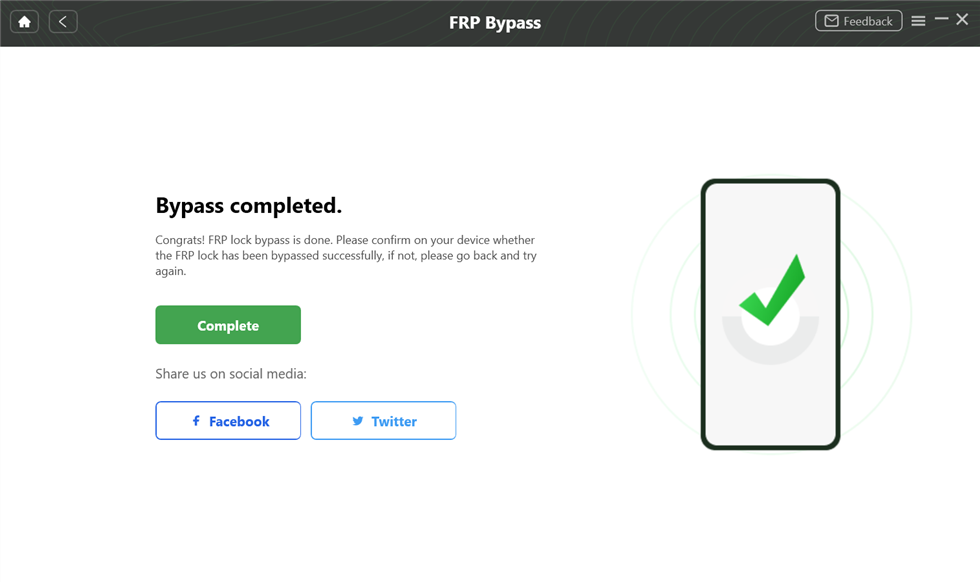
Step 6. After that, the device will reboot, which means the FRP Lock is removed successfully.
Method 2. Bypass Google Account on Redmi 9A with SIM Card
This classic SIM card exploit works on many Redmi 9A devices running MIUI 12–12.5 with older security patches; success may decrease on devices updated after mid-2025 (especially if security patches aren’t the very latest). It tricks the system into opening a browser so you can download bypass APKs and set a new lock screen.
What you’ll need:
- A SIM card with PIN lock enabled (crucial!)
- Wi-Fi access during setup
- At least 30% battery
Step-by-step guide:
Step 1. Insert the PIN-locked SIM card and power on the phone. When it asks for the SIM PIN, don’t enter it. Instead, press and hold the power button while quickly ejecting the SIM tray (timing is key—practice if needed).
Step 2. A “Not signed in” or similar notification should appear. Pull down the notification shade → tap to enter Notification Settings or App Info.
Step 3. From there, navigate to YouTube app → History & privacy → YouTube Terms of Service. This should launch the Chrome browser (or a web view).
Step 4. In the browser, search for “FRP Bypass APK 2026” (safe sources: vnROM, AddROM, FRPfile, etc.). Download and install:
- Google Account Manager (if needed)
- FRP Bypass APK or Quick Shortcut Maker
- Set Pattern / Screen Lock app+
Step 5. Open the screen lock setter app → create a new pattern/PIN/password. Return to the setup wizard, use your new lock to bypass Google verification, and finish setup.
Part 3. Other FRP Redmi 9A Unlock Tool
Apart from iMobie DroidKit, there are other third-party tools which are highly regarded in the repair community:
#1. Samfw FRP Tool
While originally famous for Samsung devices, the SamFw Tool now supports Xiaomi MTK devices. It’s a lightweight, free Windows utility that can remove FRP with a single click while the device is in Test Mode or BROM mode.
One-click FRP removal via ADB/MTP/Test Mode/BROM; also supports factory reset, reading device info, CSC change, and firmware flashing on supported devices. Originally built for Samsung, but expanded to Xiaomi/Redmi MTK models like Redmi 9A.
Best for: Budget users wanting a free, versatile option.
| Pros | Cons |
|---|---|
| Completely free (no subscription) | Best results on Samsung; Xiaomi/Redmi support is good but not always 100% (mixed success on latest patches) |
| Lightweight Windows app, frequently updated | Windows-only (no Mac native support) |
| Multi-function (FRP + reset + info read) | May require Test Point or specific drivers for stubborn cases |
| Works well on many Redmi 9A units without rooting |
#2. Pangu FRP Bypass
Pangu is a well-known name in the FRP bypass space. It typically refers to a set of APK files—such as FRP_Bypass.apk or Apex Launcher—used in manual bypass methods to gain browser access and reach system settings.
This classic APK-based FRP bypass works by exploiting setup-stage tricks to open a browser, install the APK, add a new Google account, or create a shortcut to Settings, and then disable FRP. In most cases, no PC is required; for older Android versions, an OTG cable and USB drive may be used.
Best for: Quick no-PC retry when the SIM method almost works.
| Pros | Cons |
|---|---|
| Free and simple (APK files are small) | Relies on the same browser exploit as manual method → patched on newer security updates |
| Works without a computer on many Android versions (including MIUI 12) | Lower success rate in 2026 compared to PC tools |
| Supports multiple brands beyond Xiaomi | Risk of downloading fake/malicious APKs from untrusted sites |
| Very lightweight—no installation of big software | May not permanently remove FRP on some patched devices |
#3. UnlockTool (MTK FRP Tool)
UnlockTool is a professional-grade software used by technicians. It has a dedicated module for the Redmi 9A (dandelion).
- It utilizes the MTK Universal tab.
- It can bypass Auth and Erase FRP in under 10 seconds.
Note: This is a paid, subscription-based tool.
Professional technician-grade tool with dedicated MTK/Qualcomm support. For Redmi 9A (dandelion codename), use the MTK Universal tab to bypass Auth + Erase FRP in seconds. Also handles Mi Account removal, flashing, bootloader unlock, etc.
Best for: Users who want near-guaranteed success and don’t mind paying for pro-grade reliability.
| Pros | Cons |
|---|---|
| Extremely fast (under 10 seconds for FRP on supported MTK devices) | Paid (subscription-based, credits, or monthly fee) |
| High success rate on Redmi 9A, even with recent patches | Windows-only, requires good USB driver,s and sometimes Test Point |
| Comprehensive (FRP, Mi Cloud, auth bypass, full service menu) | Overkill for simple FRP cases (more aimed at repair shops) |
| Regular updates for new security patches | Risk of bricking if used incorrectly (though rare with FRP module) |
Part 4. Conclusion
The Redmi 9A’s FRP lock is triggered if the device is reset without removing the previously synced Google account. The success of any bypass method depends mainly on the MIUI version, Android version, and security patch level. Some manual on-device tricks may work on older MIUI 11 or early MIUI 12 versions, but most of these methods are patched on newer MIUI 12.5 or MIUI 13 systems.
PC-based tools like DroidKit, UnlockTool, or SamFw usually have higher success rates on updated devices. However, some methods may erase data during the process, and firmware-level operations carry a small risk of boot loops or soft-bricking if done incorrectly.
Since each method differs in reliability and risk, choose the one that best matches your device version and condition. After unlocking, remember to properly remove the Google account and back up your data to avoid future FRP issues.