In 2026, more Xiaomi users than ever are trying to change their phone’s GPS location for games, privacy protection, social apps, and location-based services.
However, many users quickly discover a frustrating problem:
Most fake GPS apps work for only a few minutes before the location suddenly snaps back to the real position.
This issue has become especially common on:
- Xiaomi 15 series,
- Xiaomi 16 series,
- Xiaomi 17 series,
- Redmi devices,
- and POCO phones running Android 16 and HyperOS.
If you searched for “mock location Xiaomi” after struggling with GPS drift, rubber-banding, or unstable spoofing, you are definitely not alone.
Most online tutorials are outdated and were originally written for older MIUI systems or non-Xiaomi Android devices.
In this guide, we’ll explain:
- why mock location fails on Xiaomi phones,
- how HyperOS changed GPS spoofing behavior,
- why many mobile-only fake GPS apps are unreliable,
- and why desktop-based tools like Fonelora Location Changer are becoming the preferred solution for Xiaomi users.
Why Most Fake GPS Apps Fail on Xiaomi Phones
Many users assume that enabling mock location on Android through Developer Options is enough for GPS spoofing. Unfortunately, modern Xiaomi HyperOS devices no longer work that simply.
Unfortunately, modern Xiaomi phones no longer work that simply.
HyperOS and newer Android 16 builds aggressively monitor background processes, battery optimization, GPS verification, Google Play Services, and motion-related activity.
This creates several major problems for traditional mobile-only spoofing apps.
Common symptoms include:
- location snap-back,
- rubber-banding,
- fake GPS apps freezing,
- joystick lag,
- or apps still detecting the real location.
This is particularly noticeable inside:
- Pokémon GO,
- Monster Hunter Now,
- Life360,
- Snapchat,
- Tinder,
- and Google Maps.
Many Xiaomi users notice that spoofing initially works, but after locking the screen or switching apps, the phone silently refreshes the real GPS coordinates again.
Why Xiaomi HyperOS Is Much Harder for GPS Spoofing
Compared to Samsung or Pixel devices, Xiaomi applies much more aggressive background restrictions.
HyperOS continuously attempts to suspend background location services, optimize battery usage, and clean “inactive” apps automatically.
This means many traditional fake GPS apps get terminated silently without the user noticing.
Even worse, Google Play Services can periodically refresh the device’s real GPS position, which causes the classic “snap back” or “rubber-banding”
effect users constantly complain about online.
This is why many old YouTube tutorials no longer work reliably on newer Xiaomi devices running Android 16.
Why Desktop-Based GPS Spoofing Is Becoming the Preferred Solution
To solve these low-level HyperOS restrictions, many users are now switching away from traditional mobile spoofing apps.
Instead, they are using desktop-based GPS changers like Fonelora Location Changer.
Unlike basic fake GPS apps, Fonelora simulates GPS externally through a computer connection instead of relying entirely on unstable Android overlays. This creates a much more stable spoofing environment on Xiaomi devices.
Instead of constantly fighting HyperOS background restrictions, the GPS simulation is managed externally, which helps reduce:
- GPS snap-back,
- joystick instability,
- rubber-banding,
- and location drift.
This is one reason why many experienced users are now moving away from traditional mobile-only spoofing methods.
Why Xiaomi Users Choose Fonelora Location Changer
Stable GPS Control Without Rubber-Banding
One of the biggest complaints among Xiaomi users is sudden GPS resets during gameplay or app usage.
Fonelora uses a more stable desktop-based connection method that helps keep the spoofed location locked consistently, reducing unexpected jumps and movement resets caused by HyperOS background restrictions.
This is especially important for games like Pokémon GO, where unstable movement often triggers server-side detection problems such as Error 12.
More Natural Movement Simulation
Most free fake GPS apps only support simple teleportation. Fonelora goes much further by offering:
- GPS Joystick Mode,
- Single-Spot Route Simulation,
- Multi-Spot Route Simulation,
- and realistic movement speed adjustment.
Instead of instantly jumping between locations unnaturally, users can simulate walking, cycling, or driving behavior much more realistically.
This creates a smoother experience for social apps, privacy protection, and location-based games.
Better Compatibility with Xiaomi HyperOS & Android 16
Many older spoofing apps were never optimized for Xiaomi’s aggressive system management.
Fonelora is designed to work more reliably with:
- HyperOS,
- Android 16,
- Xiaomi 17 series,
- Redmi devices,
- and POCO phones.
Because the GPS simulation runs externally through the computer connection, the software avoids many of the background restrictions that break traditional Android spoofing apps.
No Root Required
Older Xiaomi spoofing methods often required root access, which introduced major risks such as, banking app failures, warranty problems, and system instability.
Fonelora works without root, making the setup much safer and more beginner-friendly for normal users.
How to Use Fonelora Location Changer on Xiaomi
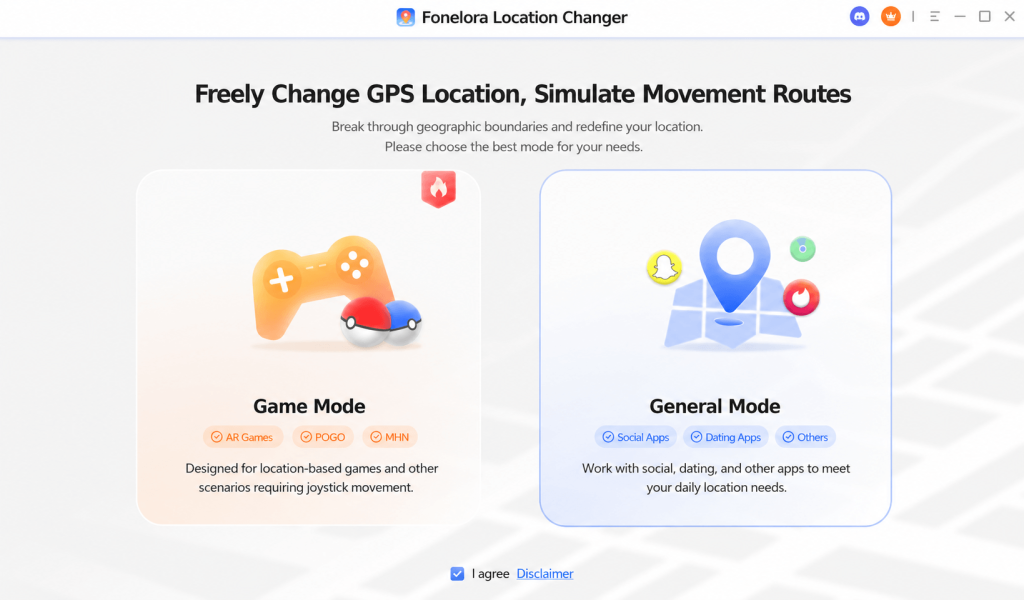
Step 1: Download Fonelora
Visit the official website and download the Windows or Mac version and install the software.
Step 2: Connect Your Xiaomi Device
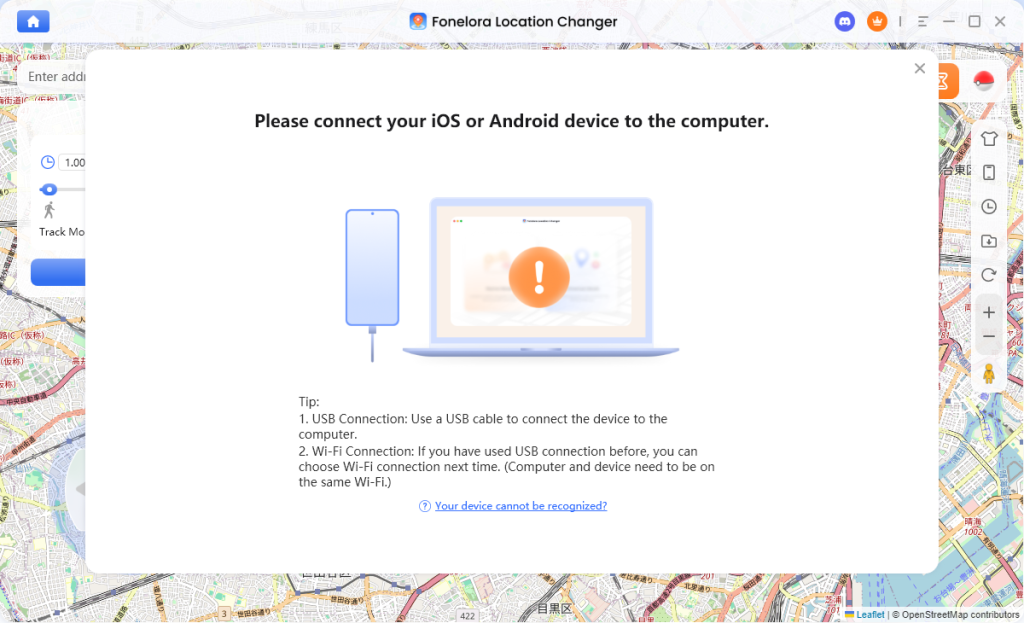
Use a USB cable to connect your Xiaomi, Redmi, or POCO phone to the computer. Enable “Developer Options” and “USB Debugging” on your Xiaomi device.
If you are wondering how to enable mock location on Android, go to Developer Options and allow mock location access when prompted during the setup process.
Step 3: Choose a GPS Simulation Mode
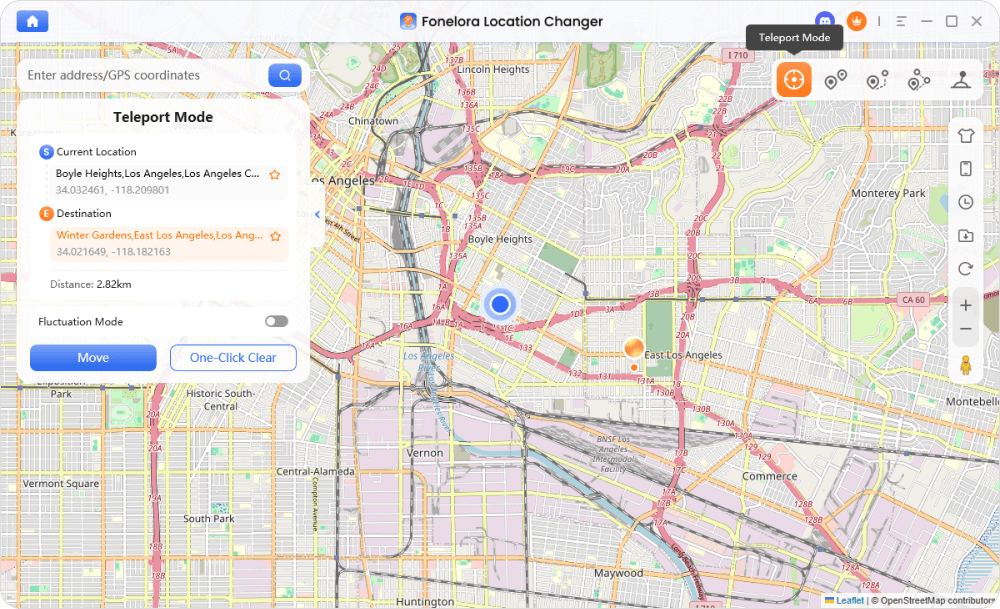
Open Fonelora and select the desired mode.
Available options include:
- Teleport Mode,
- Jump Teleport Mode,
- Single-Spot Route,
- Multi-Spot Route,
- and GPS Joystick Movement.
Teleport Mode is ideal for quickly changing location, while Route Simulation creates more realistic movement behavior.
Step 4: Select Your New GPS Location
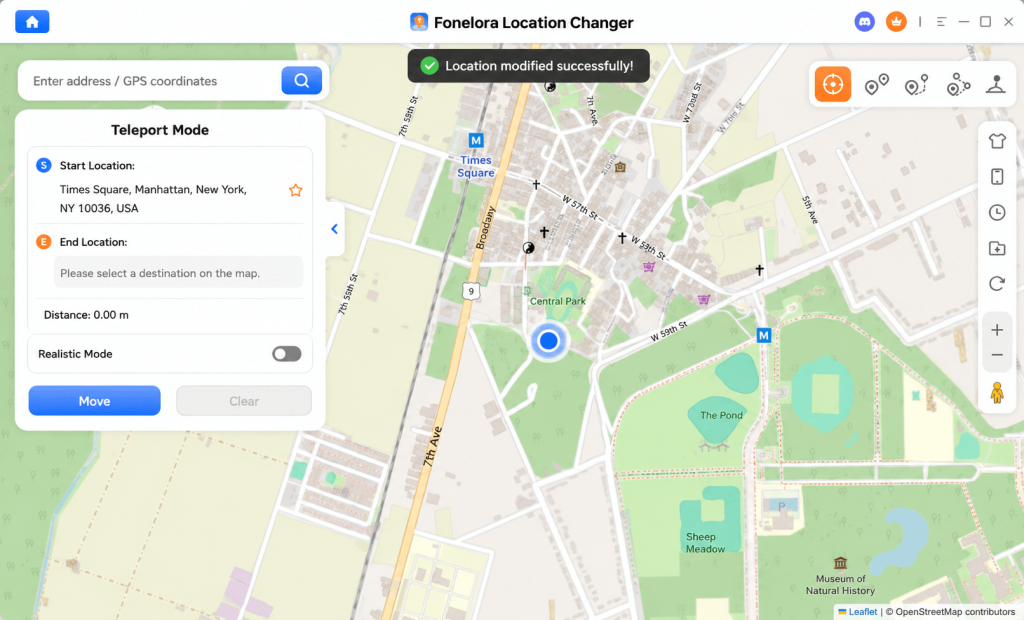
Search for any city, coordinate, or landmark directly inside the map interface. For example, New York, Los Angeles, Tokyo, or London.
Once selected, click “Move”, Your Xiaomi phone’s GPS location will update immediately.
Common Mistakes That Cause Xiaomi GPS Snap-Back
Many users unknowingly trigger GPS resets because HyperOS aggressively manages background behavior.
The most common mistakes include:
- leaving battery optimization enabled,
- disconnecting the USB cable too early,
- using outdated fake GPS apps,
- or relying only on VPN services.
A VPN changes only the IP address — not the actual GPS hardware position.
This is why many users mistakenly think spoofing is “working” while apps still detect the real location.
Can You Use Mock Location on Xiaomi Without Root?
Yes — and most users should avoid rooting entirely. Rooting modern Xiaomi devices introduces:
- system instability,
- banking app detection,
- OTA update issues,
- and security risks.
Desktop-based solutions like Fonelora Location Changer provide a much safer alternative without modifying the Android system itself.
Final Thoughts
Mock location on Xiaomi devices has become significantly more difficult after the arrival of HyperOS and Android 16.
Most traditional fake GPS apps simply cannot maintain stable spoofing behavior against Xiaomi’s aggressive background management system.
If you want:
- stable GPS simulation,
- fewer rubber-banding problems,
- no root required,
- support for Xiaomi 17 series and Android 16,
- and more natural movement simulation,
Fonelora Location Changer is currently one of the most practical and stable solutions available. Stop wasting time with outdated fake GPS apps that constantly fail on HyperOS.
Try Fonelora Location Changer today and experience a more stable way to spoof GPS on Xiaomi devices.