
When floodwater rises, power goes out, a laptop crashes, or a memory card suddenly stops working, digital files can become the most valuable assets on hand. For NGOs documenting relief work, journalists collecting field evidence, community groups coordinating support, and small businesses trying to stay operational, losing access to critical records can slow response, delay reporting, and disrupt recovery.
In moments like these, the first priority is not panic, but protection. The way you handle the device in the first few minutes can make a real difference in whether the files are still recoverable later.
Why Critical Files Disappear During Crises
Data loss during emergencies often happens in predictable ways. A laptop may crash in the middle of a report. An external drive may be damaged during transport. An SD card may fail after heavy use in the field. A system fault, malware infection, sudden shutdown, or accidental format can also make files appear to vanish without warning.
For field teams, the biggest risk is that one device may hold photos, interview audio, receipts, contact lists, maps, or work documents that are not stored anywhere else. When that happens, even a short outage can create a long delay.
What to Do Immediately After Data Loss
The safest first step is to stop writing new data to the affected device. Do not save fresh files, do not download random utilities, and do not keep experimenting with the disk if it is already unstable. If possible, avoid repeated restarts as well.
It is also important not to format the drive just because files are missing. Formatting can reduce the chance of recovery. And if you need recovery help, never install new software onto the same drive that contains the lost data.
When Recovery Software Helps
If the device is still detected by the computer but the files are not visible, specialized tools may help scan the storage and locate recoverable data. This is where a reliable data recovery software solution becomes useful, especially when the file system is damaged but the drive is still readable.
In many cases, users are trying to recover lost files after accidental deletion, a system crash, or a failed transfer. A guided scan can help identify documents, spreadsheets, images, and media files that would otherwise be hard to find manually.
For organizations working under pressure, a structured recovery workflow matters. It saves time, avoids further damage, and gives teams a better chance of restoring the most important files first.
Why Video and Photo Recovery Matter for Field Work
For journalists, NGO workers, and community organizers, photos and video files often carry more than sentimental value. They can serve as evidence, documentation, and proof of work. Interview clips, incident footage, field photos, and short recordings may be needed for news reports, grant records, compliance, or public communication.
That is why video recovery is especially important in field-based work. A missing clip may mean lost context. A damaged photo card may mean losing the only record of an event. In those situations, recovery is not just about convenience; it is about preserving essential information.
How to Reduce Future Risk
The best recovery strategy is prevention. A simple 3-2-1 backup plan can reduce the impact of unexpected failures:
- Keep 3 copies of important files.
- Store them on 2 different types of media.
- Keep 1 copy offsite or in the cloud.
In addition, use cloud sync where possible, maintain a second copy on an external drive, and export critical media on a regular schedule. For field teams, that means not waiting until after an incident to create backups.
Step 1: Start with a careful recovery workflow.
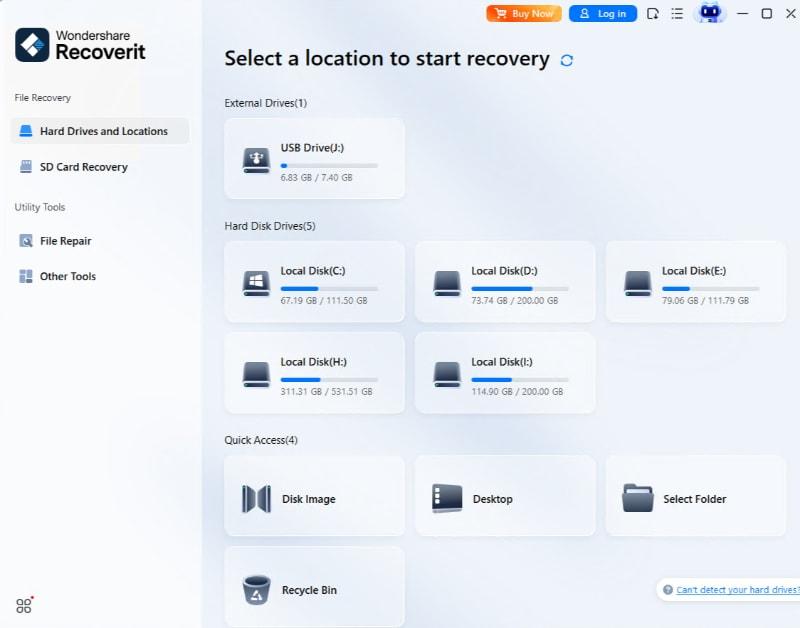
Step 2: Scan the affected drive without writing new data.
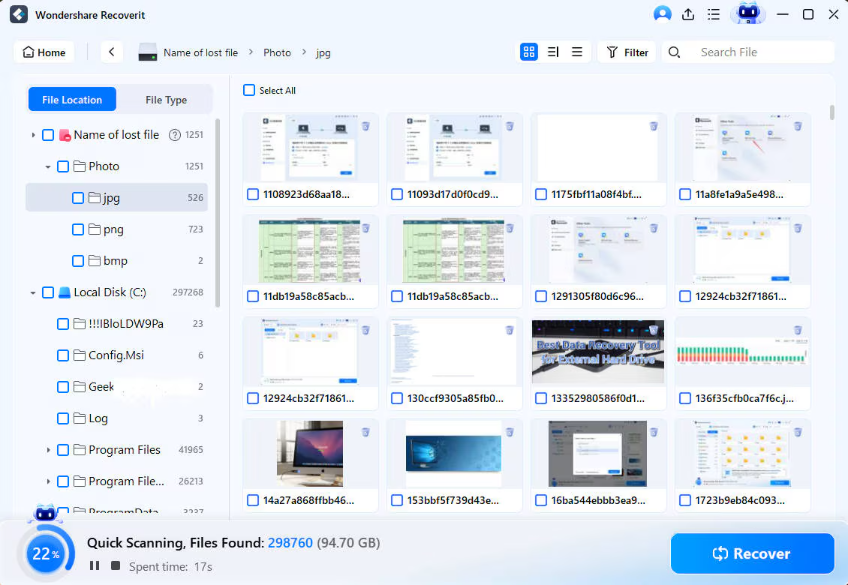
Step 3: Preview files before restoring them to a safe location.

Conclusion
Data recovery is not magic, and no tool can guarantee success in every case. But when disaster strikes, the right sequence of actions can significantly improve the chances of getting important files back. Stop using the affected device, check for simple backups, and use recovery tools only when the situation is still suitable for scanning.
For teams that depend on digital records to keep work moving, preparation matters as much as recovery. The faster you protect the data, the more likely it is that those records will remain lifelines when they are needed most.
Note: Replace the three example.com links with your final target URLs before publishing.