Key Takeaways
The QR Code Generator (TQRCG) is the best overall for retail because it has dedicated Google Review, Coupon, and Product Info QR types that cover what stores actually need. QR Code Monkey wins if your priority is making the code look incredible on shelf signage. QR Tiger is the move for retail chains that need analytics across multiple stores. Scanova is worth the $15 per month if capturing customer emails at checkout is your main goal.
Retail Has a QR Code Problem (and It Is Not What You Think)
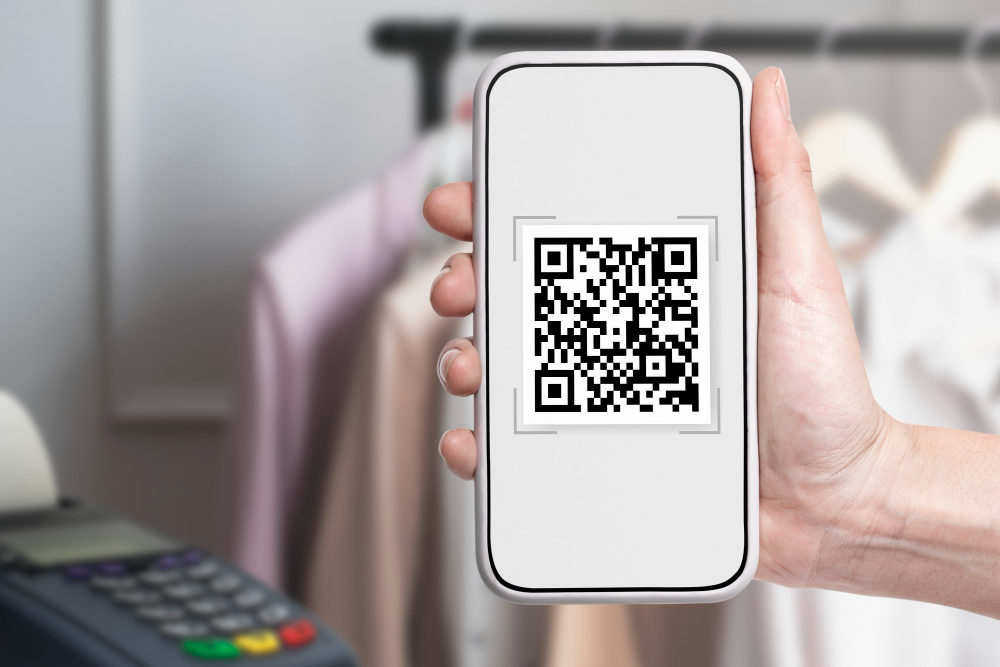
Walk into any retail store in 2026 and you will probably see a QR code somewhere. On the checkout counter. On a shelf tag. On the window. The problem is that most of them are terrible. Either they link to a generic homepage that tells the customer nothing useful, or they are static codes from two years ago pointing to a dead URL. I have scanned QR codes in stores that led to 404 pages, expired promotions, and once, hilariously, to a competitor’s website because someone copied the wrong link.
Retail QR codes only work when they are purposeful. The best implementations connect customers to specific actions: scanning a product to read reviews, grabbing a coupon at the register, checking stock at another location, or leaving a Google Review after checkout. These use cases actually drive revenue, and they require a QR code generator that understands retail, not just one that turns URLs into squares.
I tested twelve QR code generators for this guide, evaluating each one on what retail stores actually care about: dedicated code types for reviews, coupons, and product information; dynamic codes that update when promotions change; design quality for shelf tags and signage; scan analytics to measure engagement; and pricing that makes sense for thin-margin retail businesses.
1. The QR Code Generator (TQRCG)
Best for: Retail stores that need Google Review, Coupon, and Product Info QR codes in one platform
The QR Code Generator (TQRCG) is the tool I kept coming back to during testing, and the reason is simple: it has dedicated QR code types built specifically for the three things retail stores need most. There is a Google Review QR code type that sends customers directly to your review page with one scan. There is a Coupon QR code type that displays promotional offers on the customer’s phone. And there is a Product Info QR code type that links to detailed product information, specifications, or how-to content. No other free tool on this list offers all three of these as standalone code types.
The free plan gives you two permanent dynamic QR codes and unlimited static codes. For a small retail store, one dynamic code can handle your rotating seasonal promotion (swap from summer sale to Black Friday to holiday clearance without reprinting the sign), and the second can serve as your Google Review code at the checkout counter. The unlimited static codes cover everything else: individual product pages, your store location on Google Maps, your Instagram profile, or your loyalty program sign-up.
What I genuinely appreciated during testing was the scan analytics on the free plan. After placing a Google Review QR code at a test checkout counter, I could see exactly how many customers scanned it each day. That kind of data is gold for a retail manager trying to figure out whether that code is actually doing anything. The design customization lets you add your store logo and match brand colors, and the Campaign URL Builder with UTM parameters means you can track QR scans in Google Analytics alongside your other marketing channels. The Flex plan at $10 per month adds more dynamic codes for stores with multiple departments or locations.
Pros: Dedicated Google Review, Coupon, and Product Info QR code types. Two free permanent dynamic codes. Scan analytics on free plan. UTM Campaign URL Builder. Logo and brand customization. SOC2 and ISO 27001 certified. Chrome Extension for quick code creation. $10 per month upgrade.
Cons: Free dynamic code landing pages show ads. Two dynamic codes can feel limiting for multi-location retailers.
2. QR Code Monkey
Best for: Retail signage and shelf tags that need to look really good
If your primary concern is making QR codes that look like they belong on premium retail displays, QR Code Monkey is hard to beat. The design customization is absurdly deep for a free tool. Custom body shapes, eye frames, color gradients, logo embedding, and vector exports in SVG, PDF, and EPS. I used it to create a shelf tag QR code for a boutique client and the result looked like it was designed by their branding agency, not generated by a free website.
No account required, which is great for retail managers who just need a code and do not want to deal with another login. The catch is always the same with QR Code Monkey: static codes only. No editing, no analytics, no way to change the link after printing. For permanent signage linking to your store’s homepage, it is perfect. For anything that changes, like seasonal promotions or rotating product features, you need a dynamic tool.
Pros: Best free design tools by far. Vector exports for professional printing. No account needed. Unlimited static codes.
Cons: Static only. Zero analytics. Cannot update after printing.
3. QR Tiger
Best for: Retail chains tracking scan performance across multiple stores
QR Tiger’s analytics are the real draw for retail. The paid plans break down scans by city, device, time of day, and operating system. For a retail chain with ten locations, you can compare which stores are getting the most customer engagement through QR codes and investigate why. Maybe the code placement at Store #3 is terrible, or maybe Store #7’s staff are actively encouraging scans. That data-driven approach to in-store QR strategy is where QR Tiger shines.
The free plan gives you three dynamic codes with a 500-scan limit. In a busy retail store, 500 scans can vanish in a week. Paid plans start at $7 per month, with bulk generation on higher tiers for chains needing unique codes per location. My honest take: the free plan is a test drive, not a real solution for retail. But the paid analytics are impressive if you have budget.
Pros: Deepest scan analytics. Location-based tracking. Google Analytics integration. Bulk generation for chains.
Cons: 500-scan cap on free plan. Serious features need $37 per month Premium. Codes may deactivate without subscription, which is terrifying for printed retail signage.
4. Scanova
Best for: Retail stores that want to capture customer email addresses from in-store scans
Scanova stands out in retail because of its lead generation feature. Imagine a QR code on your checkout counter that offers 10% off the next purchase in exchange for the customer’s email address. Scanova makes this possible by placing a form between the scan and the content, capturing first-party data that feeds directly into your email marketing. The 14-day trial gives full access, and plans start at $15 per month. No permanent free plan, which is a dealbreaker for budget-conscious retailers. But if you need to build your email list from in-store traffic, Scanova’s form integration is the best I have tested.
Pros: Email capture forms on scan. Mobile landing pages. 26 QR code types. SOC2 and ISO 27001 compliance.
Cons: No permanent free plan. $15 per month after trial. 14-day trial only.
5. Canva QR Code Generator
Best for: Retail teams designing their own in-store signage
A lot of small retail stores design their own promotional materials in Canva, and the built-in QR code generator makes it dead simple to add a code to a poster, shelf talker, or window display. You never leave the design environment. For retail marketing teams of one (which, let us be real, describes most small stores), this workflow saves real time. Static codes only, no tracking, but the convenience is unbeatable if you are already a Canva user.
Pros: Seamless design integration. Retail signage templates. Free with Canva.
Cons: Static only. No analytics. Bare-minimum QR customization.
6. Flowcode
Best for: Premium retail brands where every design detail matters
Flowcode makes QR codes that look expensive. For luxury retail and high-end boutiques where every design detail matters, Flowcode delivers visual quality that standard generators cannot touch. I put a Flowcode QR next to a QR Code Monkey code on the same display, and the Flowcode version looked like it was designed by someone charging $200 an hour. Limited free plan though.
Pros: Premium visual design. Luxury retail fit. Clean brand integration.
Cons: Limited free tier. Paid plans needed for real utility.
7. ME-QR
Best for: Budget retailers who want free dynamic codes to experiment
ME-QR offers free dynamic QR codes with basic customization. For a mom-and-pop shop testing whether a QR code on the counter actually drives Google Reviews, it lets you try without financial risk. Ads on the free plan are not ideal for customer-facing retail, but the $5 per month premium fixes that. Decent training-wheels option before upgrading to something more robust.
Pros: Free dynamic codes. Low-risk experimentation. $5 per month premium.
Cons: Ads on free plan. Less polished interface. Not the best first impression for customers.
8. Adobe Express QR Code Generator
Best for: Retail brands producing signage in Adobe tools
Adobe Express generates clean static codes that slot right into Adobe design workflows. If your retail brand manages its visual identity through Adobe tools, this keeps QR code generation in the same ecosystem. Nothing fancy on the QR side, just reliable, brand-consistent output. Static only, no analytics, no dynamic features.
Pros: Clean professional output. Adobe ecosystem fit. Free tier available.
Cons: Static only. No retail-specific features. No tracking.
9. QR.io
Best for: Tech-forward retailers wanting API integration
QR.io targets technical users with API access on paid plans. For retail operations with custom POS systems, the API lets you generate QR codes programmatically. The free tier is limited, but for retailers building custom tech, it is worth evaluating.
Pros: API access for integrations. Dynamic codes with tracking. Modern interface.
Cons: Limited free tier. Best for technical teams. Overkill for simple retail needs.
10. Bitly QR Codes
Best for: Retail marketers already deep in the Bitly link ecosystem
Bitly connects QR code analytics to its link management platform. If your retail marketing team tracks campaign links through Bitly, adding QR scan data to that dashboard makes sense. But at $35 per month for meaningful features, it is pricey. Only worth it if you are already paying for Bitly.
Pros: Unified link and scan tracking. Familiar for Bitly users.
Cons: $35 per month for useful features. Very limited free tier.
11. QRStuff
Best for: Retail stores needing codes across many different data types
QRStuff supports over 25 data types, giving it unusual versatility for retail. Need a code that opens Google Maps to your store? Done. One that triggers a phone call? Done. One that adds your grand opening to someone’s calendar? Also done. Free static codes include basic color customization. Dynamic features are paid. Interface feels dated, but the functional range is wider than most competitors.
Pros: 25+ data types. Covers unusual retail use cases. Free static codes.
Cons: Dynamic is paid only. Dated interface.
12. GoQR.me
Best for: Retail managers who need a code in 30 seconds flat
GoQR.me is the fastest path to a working QR code. No account, no options to agonize over, no learning curve. You type the URL, you download the code. When a retail manager is five minutes from printing a sign and realizes they forgot the QR code, GoQR.me is the panic button that works. The codes are plain and there is zero customization, but sometimes speed beats beauty.
Pros: Fastest generation possible. No account. Zero complexity.
Cons: No customization. No analytics. Static only. Very basic.
The Retail Verdict
I will be blunt: most retail stores should start with The QR Code Generator. It is the only free tool that gives you dedicated code types for Google Reviews, Coupons, and Product Info alongside dynamic codes and scan analytics. That combination covers 90% of what a retail store actually needs from a QR code platform. QR Code Monkey wins when design quality on signage is the top priority. QR Tiger earns its spot when multi-location analytics justify the paid investment. Everything else on this list serves niche retail scenarios.
Here is my unsolicited advice after testing all twelve: start with one QR code at your checkout counter linking to your Google Review page. Track how many scans it gets in the first week. That single code will drive more reviews than any email campaign you have ever sent. Once you see the results, you will start putting codes everywhere in your store. Pick the right tool from the start and save yourself the headache of migrating later.