I edit short documentaries, and the first test for an AI Video API is brutally ordinary: place the clip between two real shots and press play. When I placed the first generated insert into a real sequence, it looked impressive but entered on the wrong beat. The subject may change at the cut, or the final frame may never settle long enough for the next shot to enter.
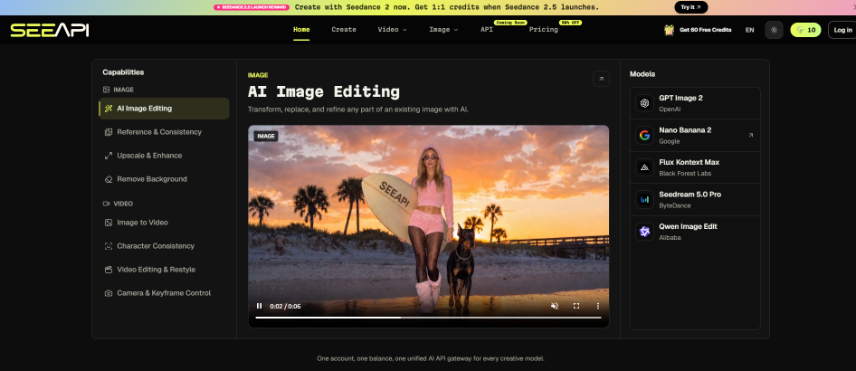
These defects create a strange bill. The model has already delivered a video, yet the assistant editor spends hours manufacturing handles, hiding bad transitions, and searching for a frame that can carry a title. SeeAPI gives editors a browser workspace for trying different video routes before the public API arrives. I use that access to judge editability, not to collect isolated clips.
A Beautiful Preview Can Still Break The Sequence
Preview loops remove the two moments an editor cares about most: the entrance and the exit. A looping clip looks continuous because the page keeps it moving. A timeline exposes whether the first frame belongs after the previous shot and whether the last frame offers a clean way out. If neither boundary works, the center can be spectacular and the clip can still be unusable.
Opening Motion Needs A Stable Incoming Handle
I ask for a brief period before the main action, with the subject readable and the camera behavior established. Without that space, the incoming cut lands during a turn, a hand movement, or a sudden push. On a museum teaser, three generated inserts began in the middle of a camera move. The assistant hid them behind light flashes and speed ramps, then the director rejected the treatment because it fought the quiet tone. We lost an afternoon fixing footage that had technically passed generation.
Exit Frames Must Give The Next Shot Room
The ending needs an intention: a product settles near center, a person completes the gesture, or the camera eases into a readable composition. “Continue cinematic motion” gives the editor no exit promise. I put the required final state in the shot brief and reject clips that never reach it. This one line can save more edit time than another paragraph of style adjectives.
Write A Brief Around The Timeline Gap
I start with the empty space in the edit, not with a model. The gap has a duration, a preceding image, a following image, and one story task. The generation brief translates those facts into visible directions. SeeAPI’s video area lets the team compare model families online, but the gap remains the control. Changing routes should answer a specific failure, not restart the creative idea.
Describe Subject Action Camera And Final State
The brief names the subject, the action that must occur, the camera movement, and the required exit. Lighting and mood are included only when they serve continuity with adjacent footage. If identity matters, we add a clean reference where the selected route supports it. I avoid stacking a still, a motion sample, and competing style directions in the first attempt because the source of drift becomes impossible to see.
- Freeze the outgoing frame of the previous shot and note light direction.
- Write the single action needed to advance the story.
- Define the camera move and the final resting composition.
- Place the generated candidate back into the same timeline gap.
Change Routes Only After Naming The Break
We mark the first bad timecode and describe what happens there. The face changes during the turn. A sleeve crosses the body incorrectly. The camera accelerates before the title appears. We preserve a broken frame beside the note so another editor can see the failure without replaying every candidate. That record tells us whether to simplify motion, strengthen a reference, or compare another route through the AI Video API workspace. It also stops “try a different model” from becoming the default response to every weak shot.
The route comparison includes the human repair. A candidate that needs a three-frame patch, a tracked mask, and a replacement title plate may cost less to generate while taking longer to finish. The edit log records both the visible failure and the minutes spent concealing it. Producers can then estimate completed seconds instead of generated seconds.
Review Motion In Context At Normal Speed
Frame-by-frame inspection is useful after the sequence reveals a problem. Starting there can waste attention on details no viewer notices while missing a rhythm that everyone feels. My review begins at normal speed with sound, continues once without sound, and only then stops on the first visible break. Each pass has a different purpose.
The Sound Pass Exposes False Performance Timing
Music, dialogue, and effects change how motion reads. A gesture that looks natural in silence may land late against a spoken word. A camera move may reach the subject after the musical accent. We record the timing mismatch rather than calling the performance weak. If an audio-driven route is part of the chosen model’s supported workflow, the source audio should be trimmed to the intended beat and kept with the review package.
The Silent Pass Finds Continuity And Physics Breaks
Without sound, small visual discontinuities become easier to see. I watch the outline of the face, clothing edges, hand contact, shadow direction, and apparent lens. The candidate is always viewed beside the neighboring shots. An identity shift can hide in a standalone clip because the viewer has no immediate comparison; the cut supplies that comparison instantly.
The Repair Pass Assigns A Real Cost
If the director still wants the shot, the assistant estimates the fix before touching it. A trim is cheap. Rebuilding a hand, stabilizing a changing face, or replacing a background through motion can exceed the value of the clip. We keep the estimate next to the generation record and give the producer authority to reroute or stop. This prevents sunk effort from turning an attractive draft into an expensive obligation.
SeeAPI’s broader direction includes unified model access, one account and balance, and future routing through an API. Those ideas are useful to an edit team because a failed provider should not freeze every shot. For now, the verified deliverable is narrower: a chosen route, the exact input pack, an accepted clip, and an honest repair note. Integration behavior remains an engineering question for the released interface.

The Usable Clip Leaves Editorial Choices Open
SeeAPI is a sensible evaluation space for editors, producers, and product teams who want to compare video models before building around one route. It is not a substitute for a timeline, adjacent shots, or a producer willing to stop a costly repair. The model that wins a homepage reel may not win the cut.
I choose the candidate that enters cleanly, performs the needed action, holds identity, and exits with options. That clip may be quieter than the showcase take. It will earn its place by surviving the sequence rather than demanding that the sequence bend around it.