Video content is everywhere now, whether you scroll YouTube Shorts, Instagram Reels, TikTok, or even on LinkedIn. You’ll notice that people love interacting with short videos rather than long ones. The biggest challenge? Creating short videos with the traditional method is time-consuming, requires editing skills, and requires costly software.
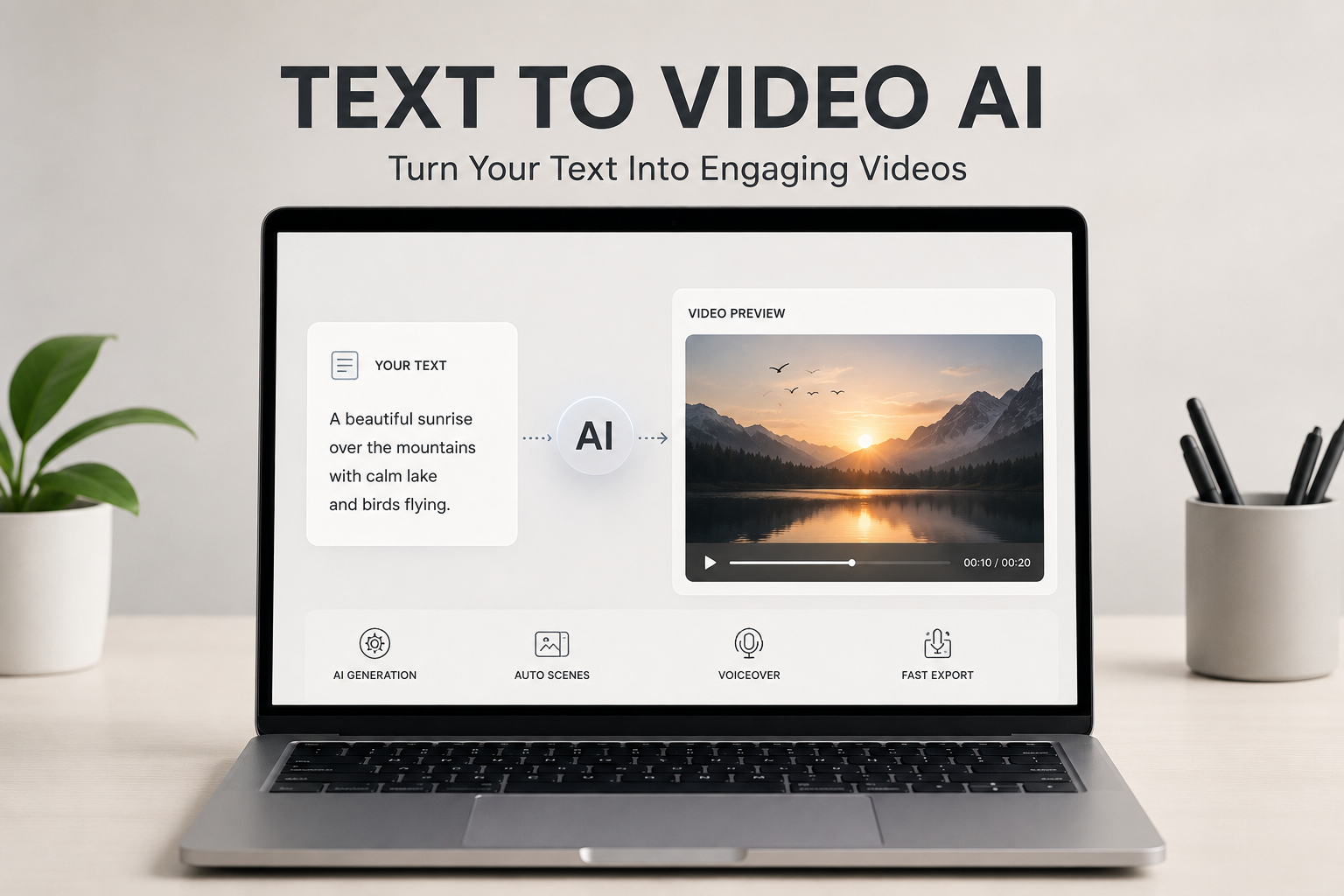
And here comes our hero product, “Text-to-video AI.” This transforms a basic script, blog, or text into videos in just minutes. So, instead of editing, adding transitions, and recording voiceovers, tools like Media.io can easily create videos, even for those who haven’t edited a video before.
Ready to try this software?
What Is Text to Video AI and How Does It Work?
Text-to-video AI software converts your text into video. It’s like a virtual production studio in your laptop! You have the idea, and the AI will do the bulk of the technical stuff. Some tools produce fully animated videos, while others produce realistic videos based on advanced diffusion models and generative AI systems.
The technology of text-to-video AI is actually quite complex. The AI models are trained on massive datasets, including videos, images, audio, motion patterns, and language relationships. As you enter your prompt, the AI reads the visual context, emotions, and intended motion along with the meaning of your prompt. It then predicts how the final video should appear, generating each scene frame by frame to create a smooth and visually engaging result.
This is why media.io is becoming the first choice of every creator now. So, whether you are a creator, marketer, teacher, or business owner, create content without hassle.
Why Text to Video AI Is a Game-Changer for Content Creation
Text-to-video AI is transforming the way people create content online, and here’s why it’s becoming crazy:
- Saves time and effort: Instead of spending hours editing footage manually, using text-to-video AI, free creators can generate engaging content in just a few minutes.
- No editing skills required: Beginners can create high-quality videos using simple AI tools, making content creation easier and more accessible for everyone.
- Helps create content consistently: Whether you’re a content creator, marketer, educator, or business owner, AI video tools make it faster and easier to produce content regularly.
Step-By-Step Guide: How To Turn Text into Video In Minutes
So, you have seen that creating videos with AI is easy, but which tool can really help you still matters. The good news is that media.io can simplify the content creation process for both beginners and professionals.
From generating visuals and voiceovers to adding transitions and effects automatically, the platform handles most of the heavy work for you. Whether you are creating social media content, product videos, marketing ads, or YouTube shorts, Media.io helps you create professional-looking videos quickly without a steep learning curve.
Want to know how it converts text to video? Let’s get into the steps.
Step 1: Browse media.io on the internet and launch the official website. There you’ll see a video option, click on it and choose text to video AI tool.

Step 2: A text-to-video AI dashboard will open in front of you. Here, first you have to select the AI model from the list. Here, for example, I am choosing sedance 2.0.
Note: all AI models are free to use for limited credits. 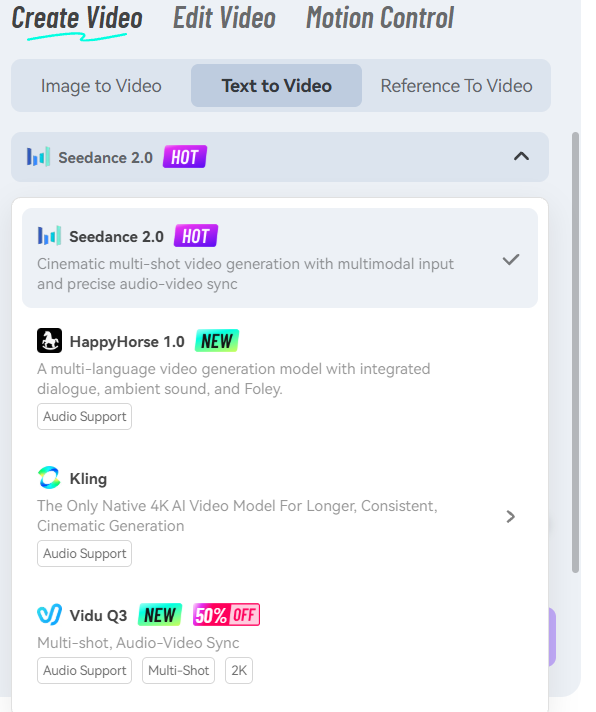
Step 3: Once you’ve selected the AI model, the next step is to enter your text or prompt to generate the video. Make sure your prompt is clear, detailed, and well-structured so the AI can better understand your vision.
Include important details like the scene style, mood, visuals, transitions, voiceover tone, and any specific elements you want in the video. The more detailed your prompt is, the more accurate and polished your final video output will be.
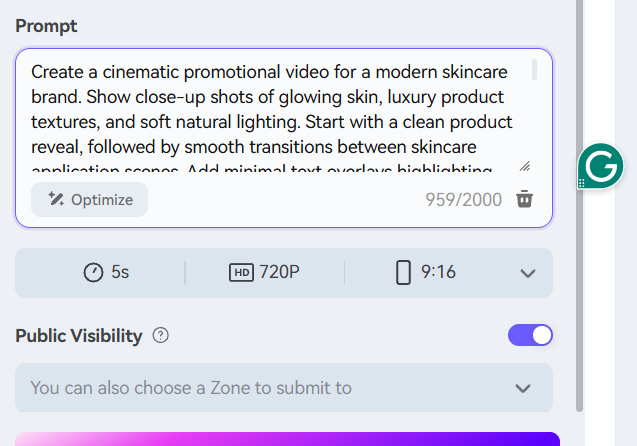
Step 4: Next, choose the aspect ratio, duration, resolution, quality of video, and public visibility according to your choice.

Once selected, click on the generate button. Within a few seconds, your video gets created, and you can post it hassle-free on any social media platform you want.
Here is the video output-

So easy, right? Try media.io now and start being consistent.
5 Types of Content You Can Create Using Text-to-Video AI
Text-to-video AI is now able to create more than basic animations. For example:
Social Media Videos
A short video works well on platforms such as Instagram Reels, TikTok, and YouTube Shorts. Create videos in minutes using transitions, captions, and music to make simple ideas, captions, or trending topics more engaging.
YouTube Videos
Scripts are able to be turned into explainer video clips, storytelling, or faceless YouTube videos. This is particularly helpful for educational, motivational, review, or tutorial videos in which your image and narration are not the most important consideration.
Marketing Ads
Companies can make product descriptions into high-converting video ads. AI-powered video content replaces static images to create dynamic visuals, motion effects, and text overlays that capture more attention to help showcase products.

Educational Content
Anyone – teachers, coaches, online instructors – can make tutorials, training videos, and explanations without wasting hours on editing. AI can break down complex concepts into visuals, animations, and narration.
Blog to Video
Content that can be turned into visuals for social media or YouTube from more extensive blogs. This enables creators to connect with viewers who like to view videos rather than reading articles.
Key Elements of an Engaging AI-Generated Video
While it’s quick to create a video using AI, it takes more than pictures to make it interesting. Here are the rules:
- Strong Hook in the First Few Seconds
The opening of your video is the most important part of the video! Every second counts when users choose to stay or leave. Begin with the grabber: Start with an interesting statement, question, dramatic or provocative image, or problem.
- Clear and Simple Messaging
Don’t put too much information in at once. Maintain a concise and clear message. Whether you’re producing an educational video, advertisement, or a social video, simple messaging keeps viewers engaged and helps them remember your video.
- Visual Consistency
The approach and style of the video should be consistent throughout. When everything is consistent in terms of color, fonts, transitions, and visual themes, it appears more professional and polished. Consistency also reinforces the brand identity.
- Good Pacing
High-speed video doesn’t bore its viewers, and slow speeds don’t make them lose interest. Clear transitions between scenes, well-timed beats, and well-timed text overlays keep viewers engaged throughout the video.
Note: It is also important to provide captions and Voice Clarity. Many of them view videos without sound – particularly on social media.
Media.io streamlines these components by providing AI-generated visuals, voiceovers, transitions, and customization options to enhance video quality.

Common Mistakes to Avoid When Using Text to Video AI
When using Text to video AI free online, avoid the following mistakes:
- Using too much text in one scene
- Ignoring pacing and flow
- Not customizing AI output
- Weak or generic scripts
Pro Tips to Create Better Videos Faster
AI can help you create videos faster, but engagement still depends on the quality of your content. Thus:
- Keep scripts short and clear
- Focus on one idea per video
- Use storytelling where possible
- Test different formats
- Stay consistent
Conclusion
For creating videos, you do not need to make a huge software investment; much of the editing can be done automatically, and the hours of work time are not a significant factor in video making. Anyone can create engaging videos from simple ideas, scripts, blogs, or product descriptions in minutes with the help of modern text-to-video AI tools.
Whether you’re a content maker aiming to streamline and boost productivity or a beginner trying out video creation, AI tools can help maintain consistency while saving time.
If you want to make professional videos but don’t want to burn hours editing, using a tool like Media.io can be a practical place to start your journey to creating content.
FAQs
How does text to video AI work?
Text to video AI transforms written text into videos using AI-generated visuals, voiceovers, captions, and transitions. It helps users create videos quickly without manual editing.
Can beginners use text to video AI tools easily?
Yes, most text to video AI tools are beginner-friendly and require no professional editing skills. Platforms like Media.io make the process simple with ready-made templates and automation.
What type of content works best with text to video AI?
Text to video AI works best for social media videos, YouTube explainers, marketing ads, tutorials, and blog-to-video content. It is especially effective for short-form and engaging visual content.